3.2.1 OS (B04)
No description yet. This curated deck is ready for daily study.
Card preview (20)
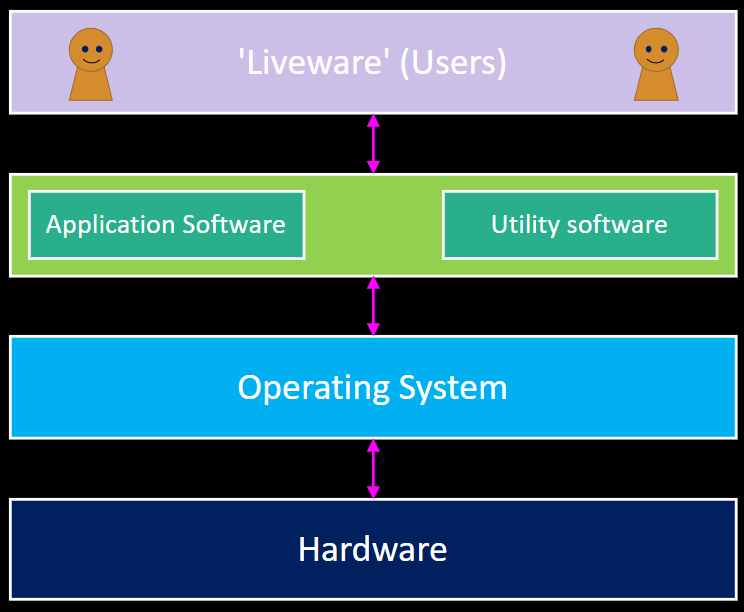
software
set of programs that run on a computer system
operating system
program that controls and manages the hardware and all other software on a computer and provides an interface for liveware (users)
types of software (just names and simple definitions)
software –> application software (programs/apps designed for end users, eg web browser, spreadsheet etc) & system software system software —> operating system & utility software (programs that add functionality to a computer system or improve its performance in some way, such as disk repair, compression etc…)
OS importance (most important)
enables the hardware to communicate effectively with the software and provides an interface for users to interact with the computer
OS: file management and structure
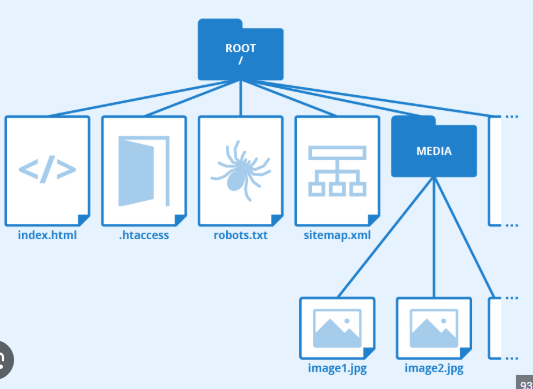
OS is responsible for organising and keeping track of files stored in secondary storage - using a hierarchical tree structure top node = root directory - users need special administrator permissions to access this. nodes lower down are directories (folders), sub-directories (folders within other folders), or files (you know what they are)
what does OS do when it need to store a new file?
splits it up into smaller pieces and stores each piece in an empty sector (subdivision of a track holding a fixed amount of data) on the hard drive. keeps a record of a start location and sequence number of each piece (so it can retrieve and reassemble file when it is required)
file permissions
used to control who can access a file and what they are allowed to do with it read: users can view, but not alter write: user can read and amend content execute: selfexplanatory delete: selfexplanatory
process
a program that is loaded into main memory and is being executed (some are visible, others arent)
multitasking (and how does OS contribute to it)
enabling several applications to be available at the same time OS is responsible for allocating each of them a share of CPU, memory, peripherals and for keeping track of their progress enables a computer to appear to execute several processes concurrently (OS must keep all the processes moving forward as quickly as possible towards completion)
scheduling algorithm and scheduling algorithms (3)
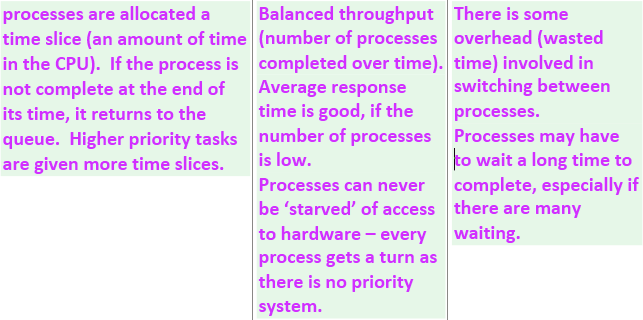
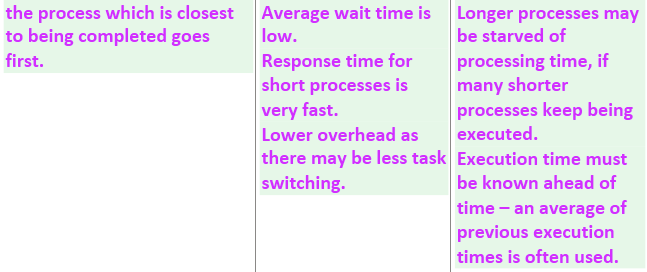
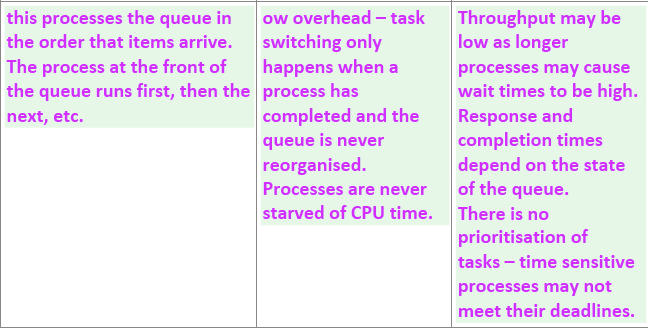
used to allocate each process running a share of CPU’s time 3 are: first in first out, shortest job first, round robin
round robin
shortest job first
first in first out
what if there’s not enough memory to store all processes being executed? what does OS do?
if RAM is full, OS has to create an area of virtual memory (secondary storage used by the OS to extend main memory) uses a paging algorithm (to move programs from RAM to an area of the hard drive allocated as virtual memory and back again when needed once memory is full and it is their turn to use CPU)
peripheral device
a hardware device (printer,keyboard) attached to a computer
device driver
a program that relays instructions and data between the operating system and a peripheral device - each device has its own driver
when a process needs access to a peripheral…
it sends a request to the the OS - OS passes on necessary instructions and data to the appropriate device driver.
OS - user management (and 2 types)
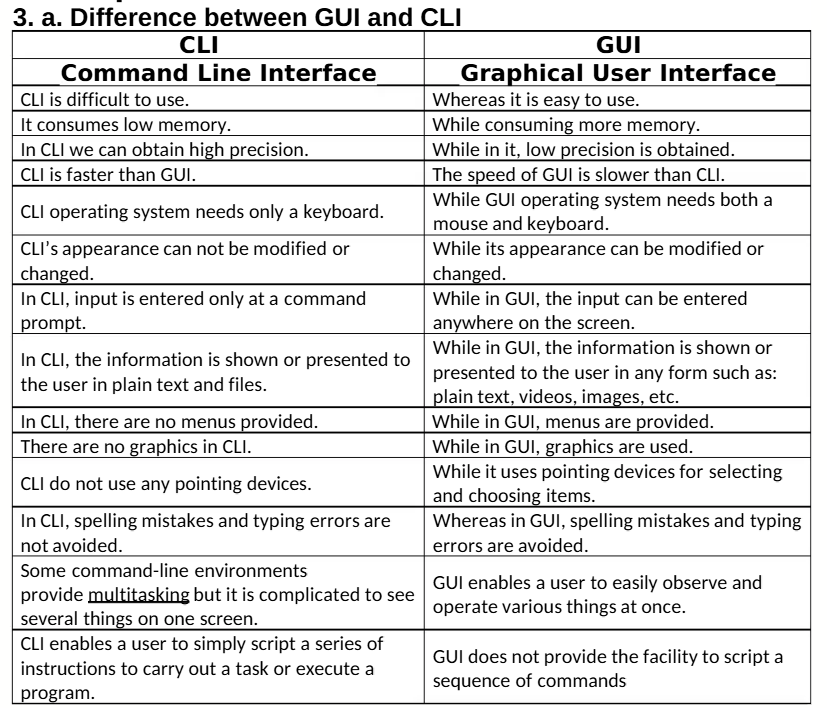
provides and runs the user interface (way in which user interacts with the computer system) 2 types: GUI (graphical user interface) with WIMP (windows, icons, menus, pointers) CLI (command-line interface) where user interacts with the computer by typing commands
GUI vs CLI
access control
determining who is allowed to use the computer system by using passwords/biometric scan (fingerprints, face rec.) to authenticate the identity of a person seeking access (controlled by OS) biometrics control user access