2.2 Data Representation (B03)
No description yet. This curated deck is ready for daily study.
Card preview (24)
ASCII
• A standard • For representing text/characters • Allows data to be interchangeable between computers (from different manufacturers) • Each character is mapped to a unique number/binary equivalent • ASCII (encoding) uses 7/8 bits • There are 128 unique characters (allow 256 for 128)
text file - and why are they good?
only contains character-by-character encoding of the text They are cross-platform: a text file on Windows is the same text file on a Mac, on Linux etc. Most operating systems come with basic tools to view and edit them (Notepad on Windows).
what 2 (3) ASCII values do you need to know
A = 65 a = 97 32 GAP BETWEEN
problem with ASCII
uses 7-bits - 128 characters - not enough to represent all of the worlds languages unicode (16 bits) generally used instead
extended ASCII (ex)
uses eight bits, giving a character set of 256 characters. This allows for special characters such as those with accents in languages such as French and Spanish. - remember original ASCII is 7 bits still not enough for all of the worlds languages
unicode (ex)
Uuses between 8 and 32 bits per character, so it can represent characters from languages from all around the world. It is commonly used across the internet. larger than ASCII, it might take up more storage space when saving documents Global companies, like Facebook and Google, could not operate with just the ASCII character set because their users communicate in many different languages.
character set
the defined list of characters recognised by an encoding system. So, for example, ASCII has a character set that contains 128 characters.
exam question!
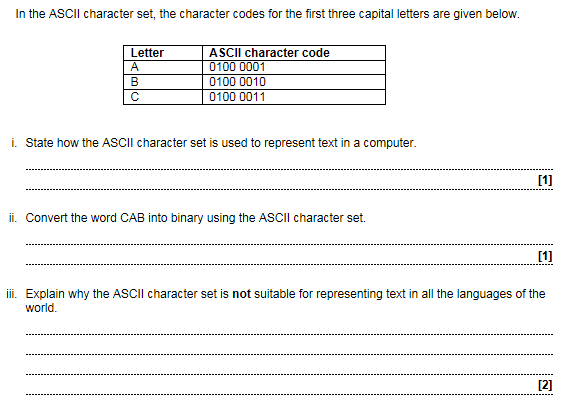
i) Each character is assigned a unique character code Each letter is converted to its character code (which is a binary number) ii) 0100 0011 0100 0001 0100 0010. iii) ASCII uses 8 bits… …and so can only represent 255 / 256 distinct characters… …many more characters are needed for coping with all languages (e.g. Unicode 16bits) ASCII does contain characters used in some languages
pixel
smallest element of a bitmapped image
metadata
basically data about the data contains (for bmp): No. of columns in the image No. of bits in the binary numbers used to store the colours (in this example on the right: 2). (also creation date, mod. date etc)
resolution
number of pixels per inch when the image is displayed. Higher resolution -> more pixels per inch
image size
the number of pixels (width × height) - different from physical size or file size
bit depth (colour depth)
number of bits for each colour
bit pattern
a unique string of binary digits used in a representation
calculating file size (for pictures)
File size = width × height × colour depth
exam question!
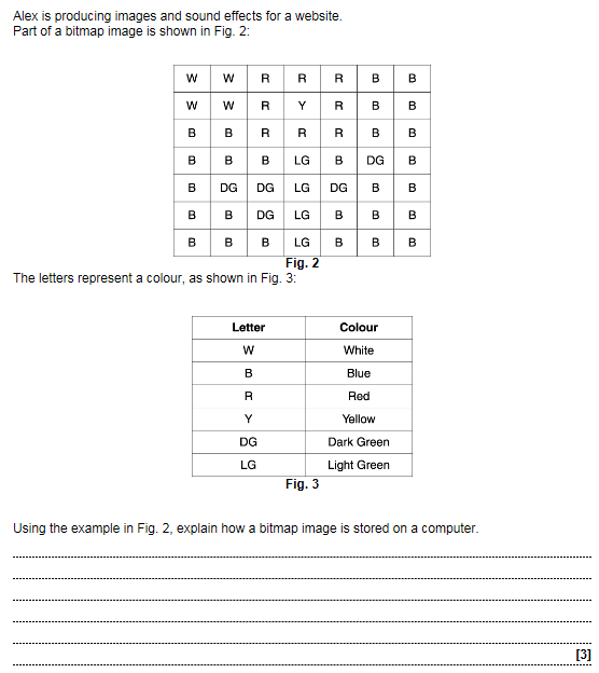
An image is made up of / consists of pixels A pixel can be one colour Each colour has a unique / corresponding binary number Each pixel / square is given the binary number of its colour The binary numbers are stored in order in the file E.g. White = 000, Red = 010, Blue= 110, top line would be 000000010010010110110
exam question!

To store data / information about the image / data E.g. Dimensions / height / width / No. of bits per pixel / Colours used / location / date / file type
exam question!
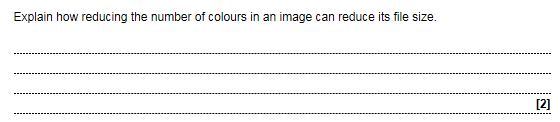
Answer: 2 from Fewer bits are needed per colour which means fewer bits per pixel Any example from diagram
analogue signal
varies continuously in both amplitude and frequency and the signal can take one of many different values
wavelength, amplitude, frequency
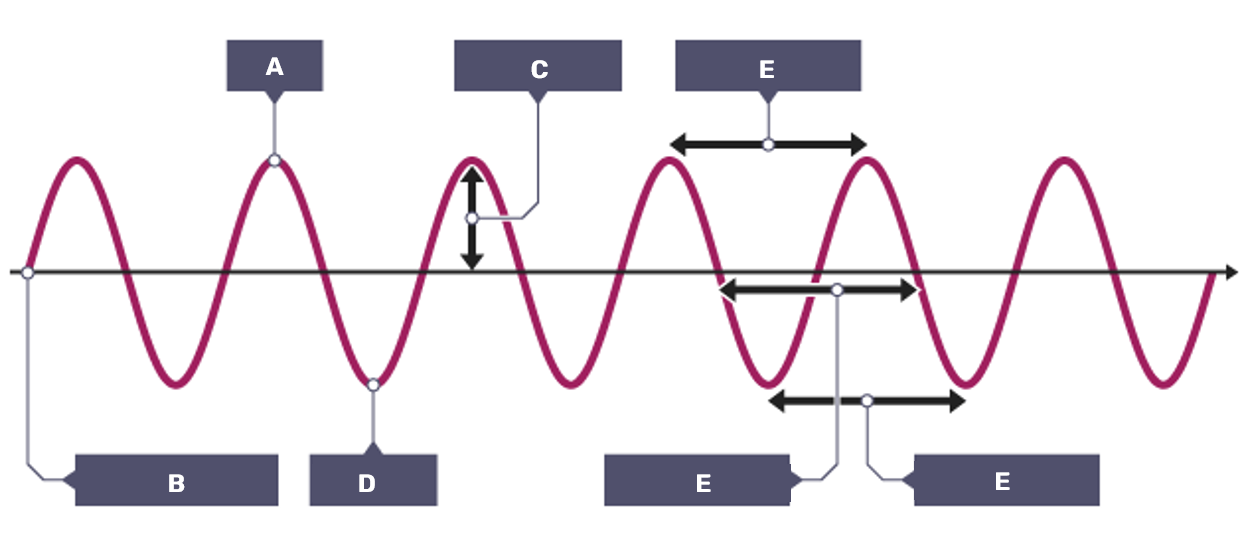
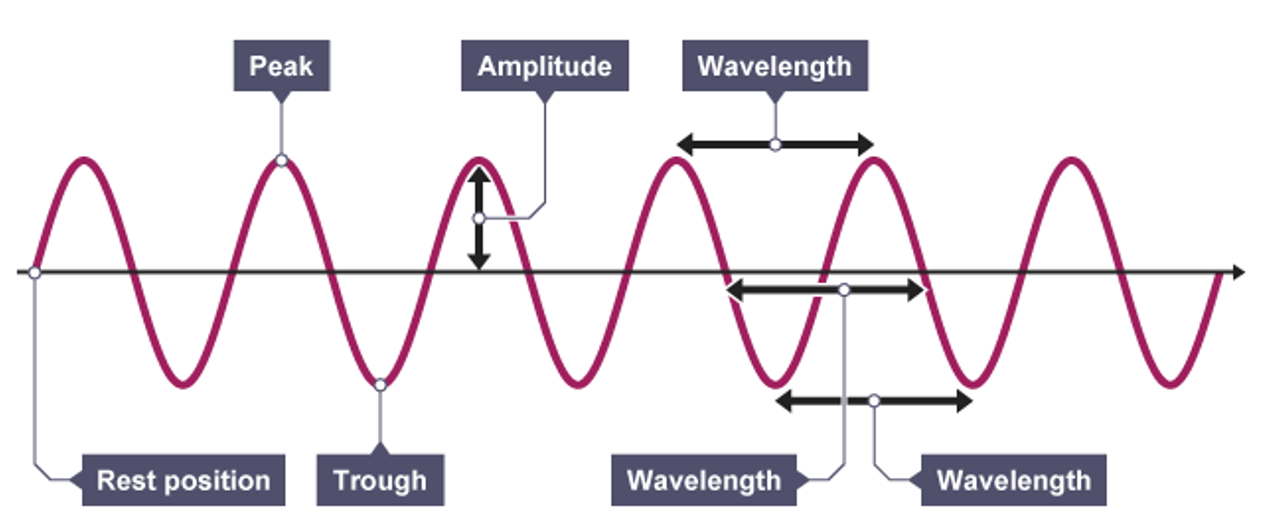
how to convert analogue to digital
SAMPLING = measuring the amplitude of the wave at regular intervals stored as binary data
sampling interval
amount of time between samples, measured in seconds
what does x axis mean for digital sound waves
The 𝑥-axis represents time, but the numbers on the 𝑥-axis refers to the number of samples so far
sample rate
No. of samples per second (measured in HERTZ or Hz)